How to Activate Page Builder
Home » Documentations » B2C White Label Travel Portal » Page Builder

Lets you have a total control on your website with Page Builder.
Easily bring your digital vision to life with Drag and Drop Page Builder. No coding expertise needed – simply select elements, drag them onto the canvas, and watch your website take shape in real-time. Effortlessly customize layouts, fonts, colors, and media, achieving a polished and professional site. Our user-friendly interface empowers you to craft a stunning online presence that mirrors your creativity. Join countless satisfied users who have harnessed the power of effortless design. Unleash your imagination; design and launch your website today with Drag and Drop Page Builder.
- Note: Message for subscribed customers, It has to be a fresh setup.
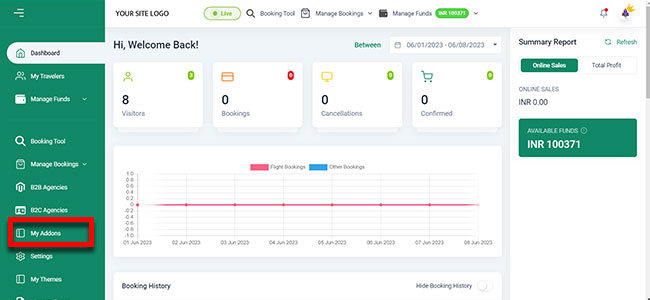
1. Login to your back office and navigate to Dashboard and find My Addons
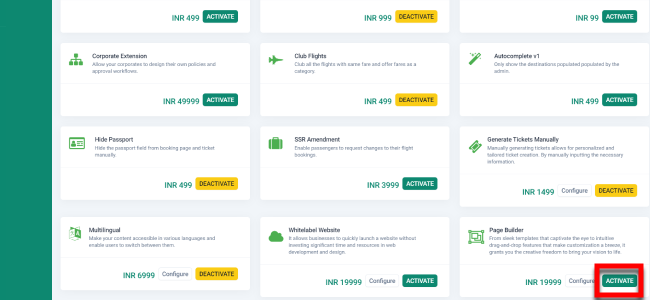
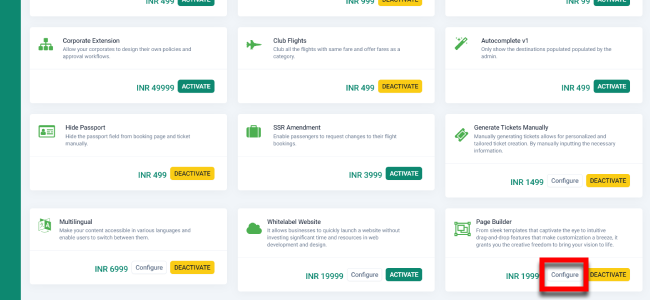
2. Find the Page Builder addon and click Activate.
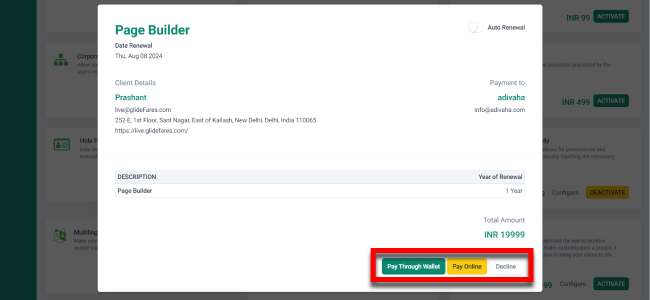
3. Select your Payment Method
4. Then click on Configure
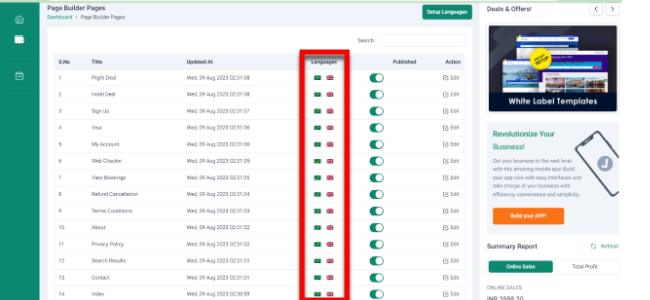
5. Now you can edit any page with Page uilder by just clicking on the the flag icon
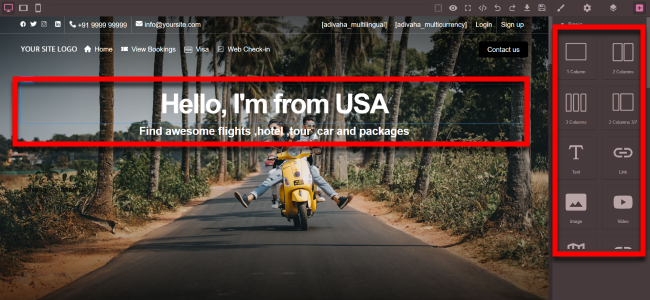
6. The Page Builder allows you to easily alter the text, incorporate new sections, and apply further customization with simplicity.
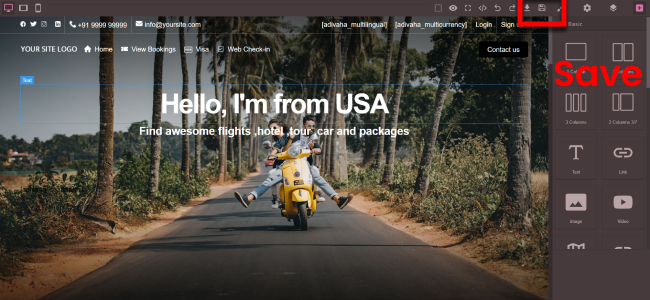
7. Your modifications are now live following the 'Save' action.
8. Now you should be able to see the changes reflected on your site