
Go live: launch your white label travel website
In short: To launch your white label travel website on adivaha®, finish your website, payments, prices and KYC while your account is in test mode, where bookings are simulated. adivaha® then reviews your account and switches it to live.
Before you start
- Your website set up: theme, logo, domain. See set up your B2C website.
- Your payment gateway connected and tested.
What do I need to finish before going live?
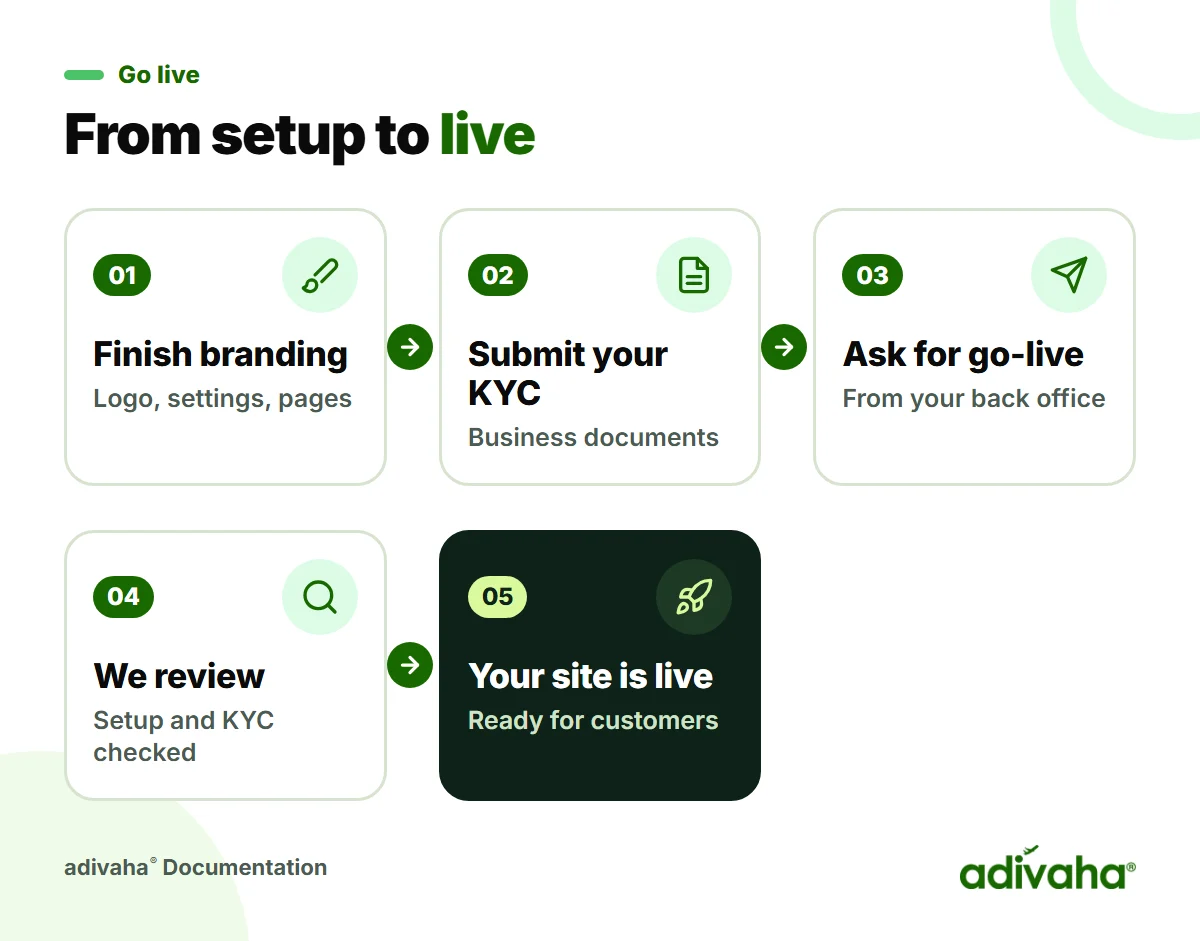
- Finish your setup guide. Your dashboard shows a setup guide with green ticks for what is done.
- Upload your KYC. Open Settings > KYC and upload your company documents.
- Check your domain. In Connectors > Storefront Domain, your domain should show Active and HTTPS OK.
- Check your payment gateway. In Connectors > Payment Gateways, make a test payment, then switch the gateway to Live mode.
- Check your prices. Review your rules in the Markup Rule Engine and search a few trips to see the final price.
- Make a test booking. Book in test mode and check the confirmation, e-mail and voucher.
- Top up your wallet. For suppliers adivaha® settles, add money by bank transfer. See top up your wallet.
- Ask us to go live. Contact us. We review your account and switch it to live mode.
Good to know about going live
- Only adivaha® can switch an account to live. This stops real bookings by mistake.
- Test API keys always simulate bookings, even on a live account.
Questions about going live
Who switches my account to live?
adivaha® does, after a review of your account. You cannot switch it yourself, which protects you from live bookings by mistake.
Can I test before going live?
Yes. In test mode, searches return sandbox prices and bookings are simulated, so you can check the whole flow safely.
What do I need before going live?
Your KYC, your domain, a payment gateway in live mode, your markups and money in your wallet for suppliers that adivaha® settles.